How to Invest

How to Invest


Instant Investment
Create a Raast ID on iSAVE in a few taps and invest directly from your bank account.
MCB Live
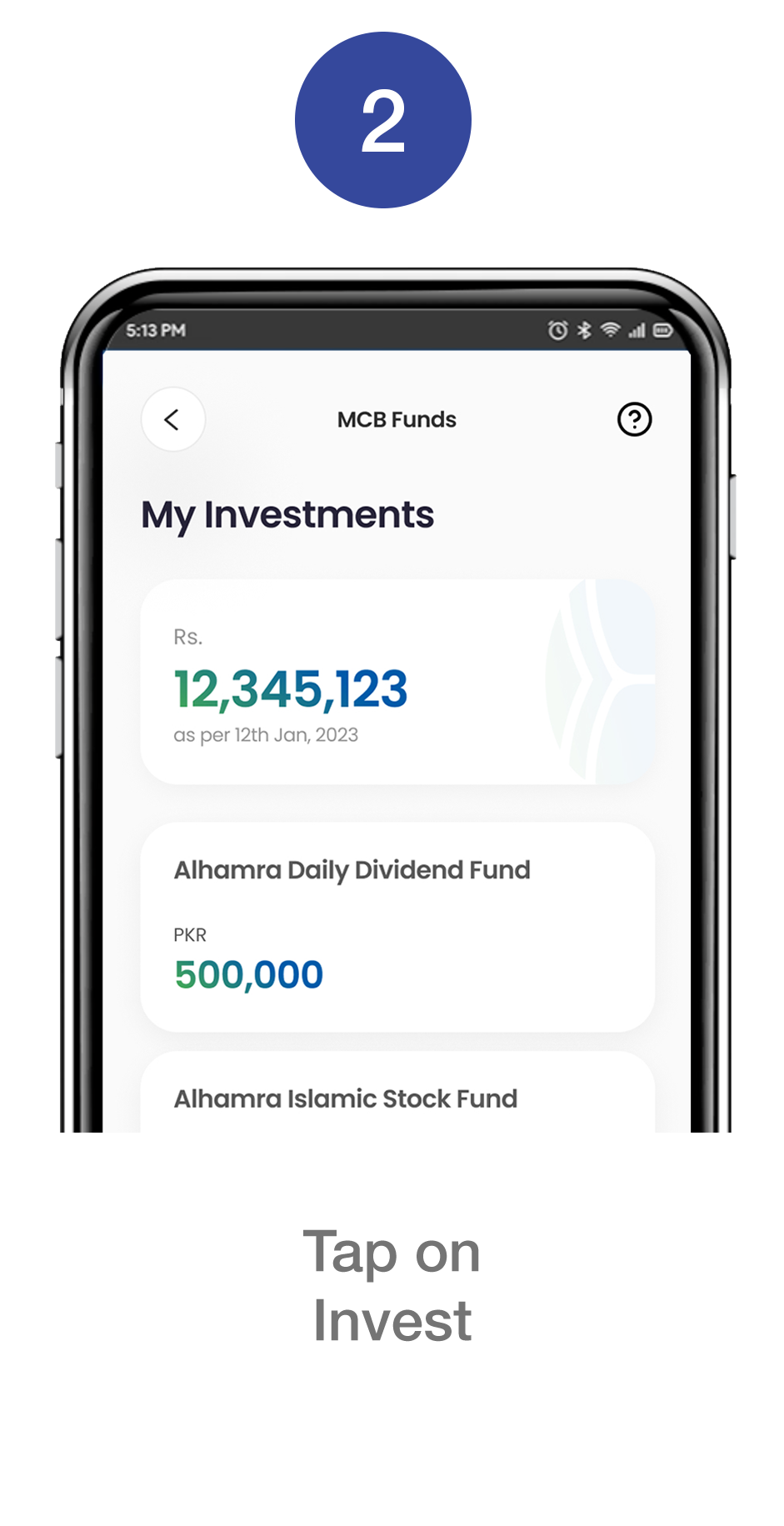
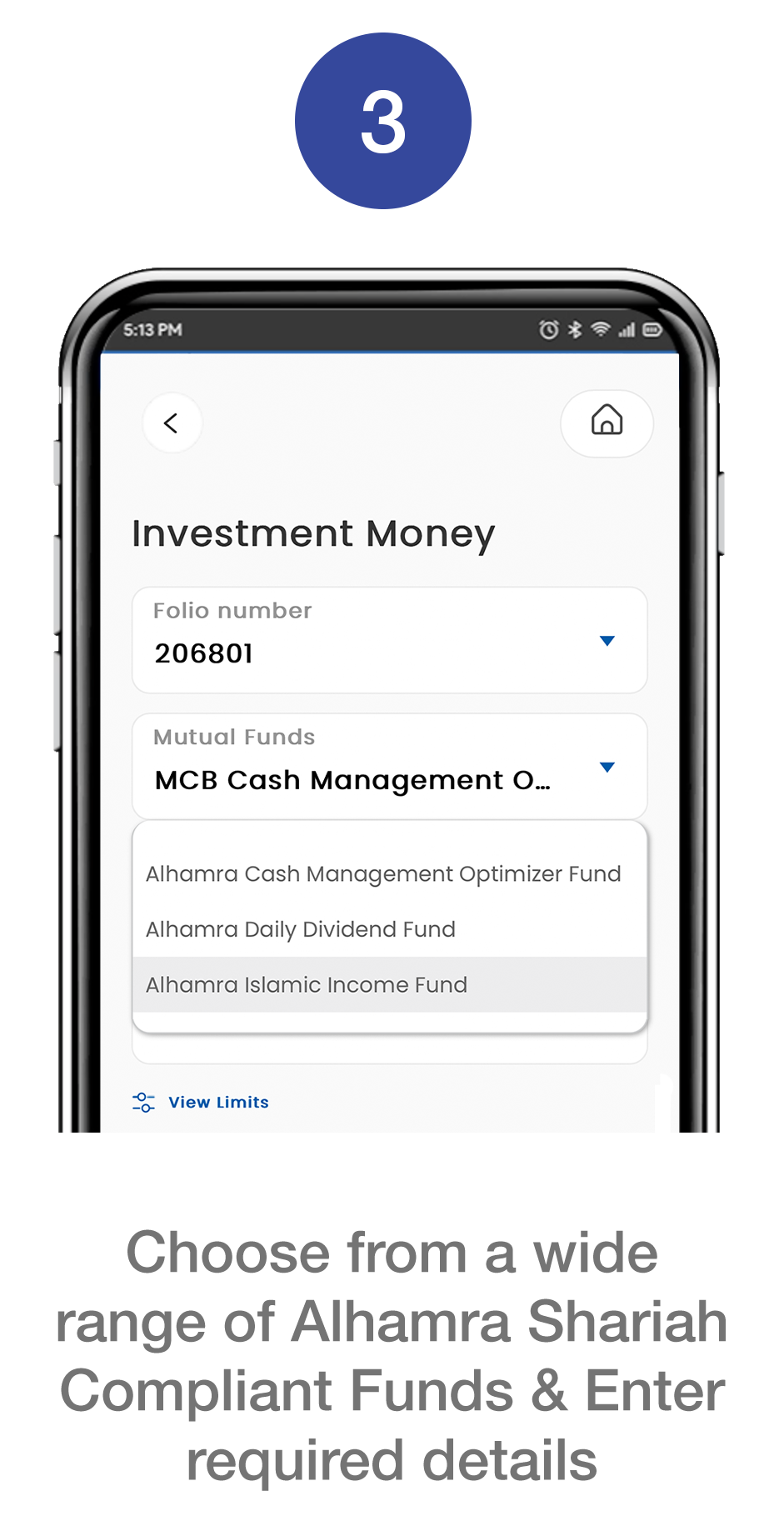
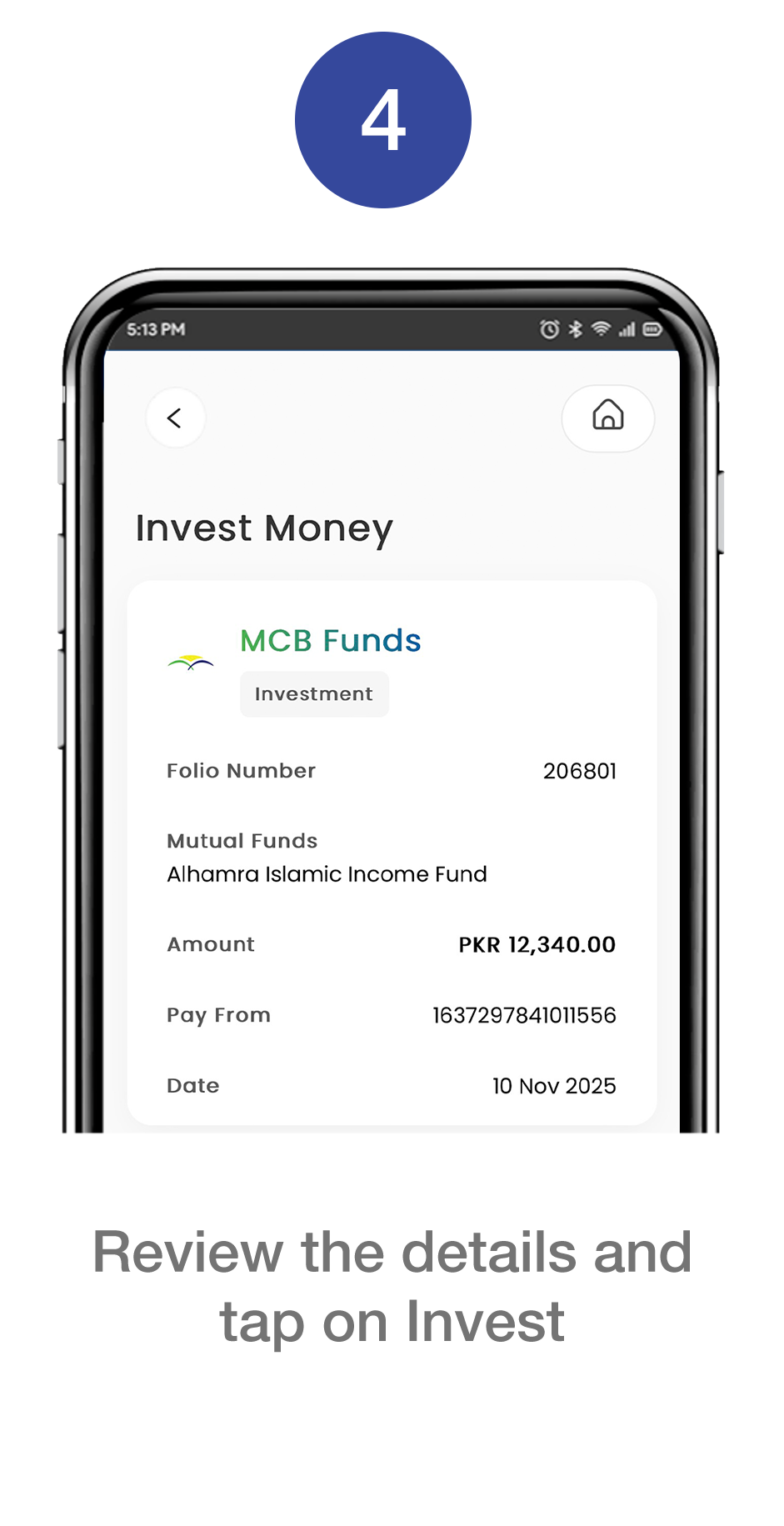
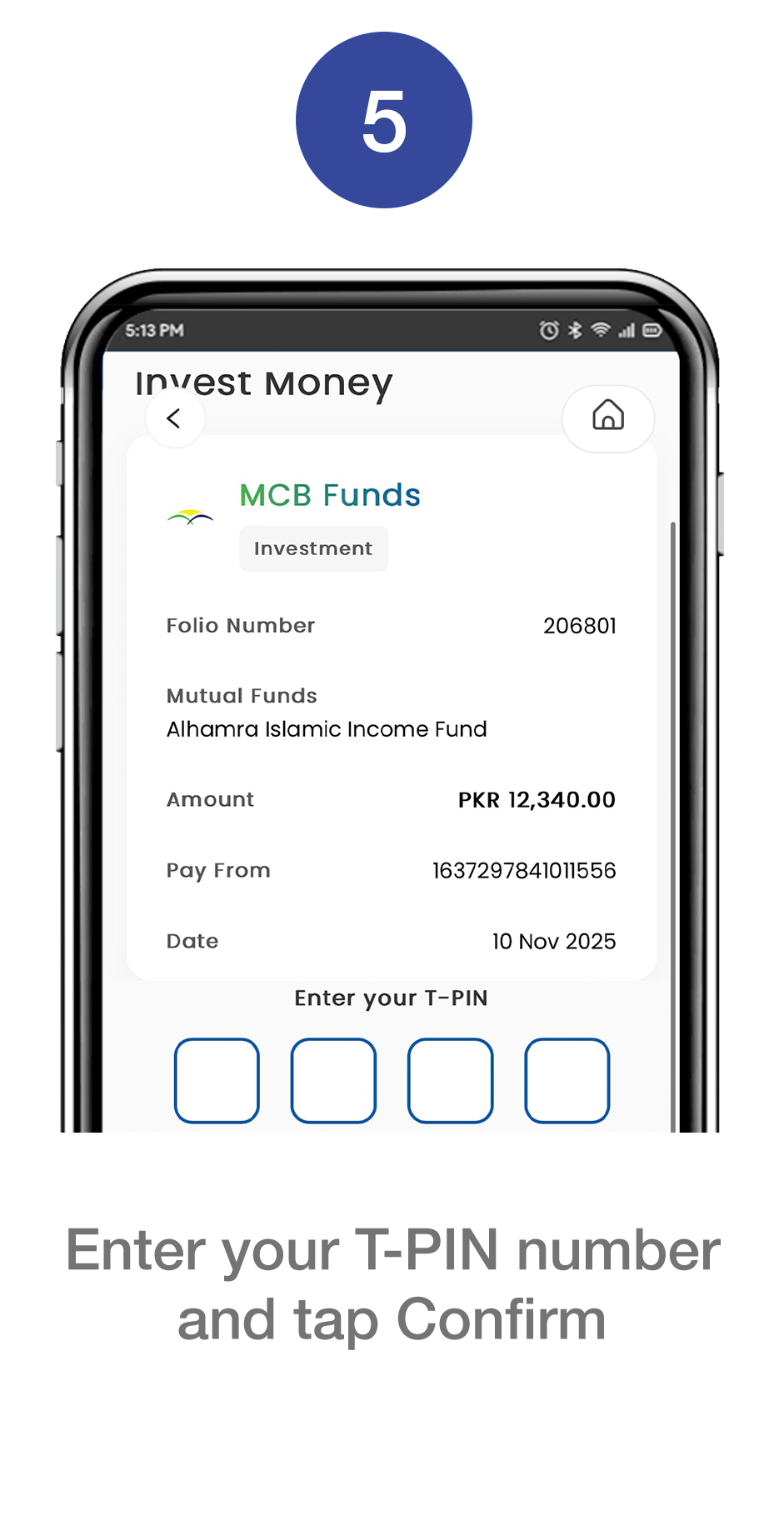
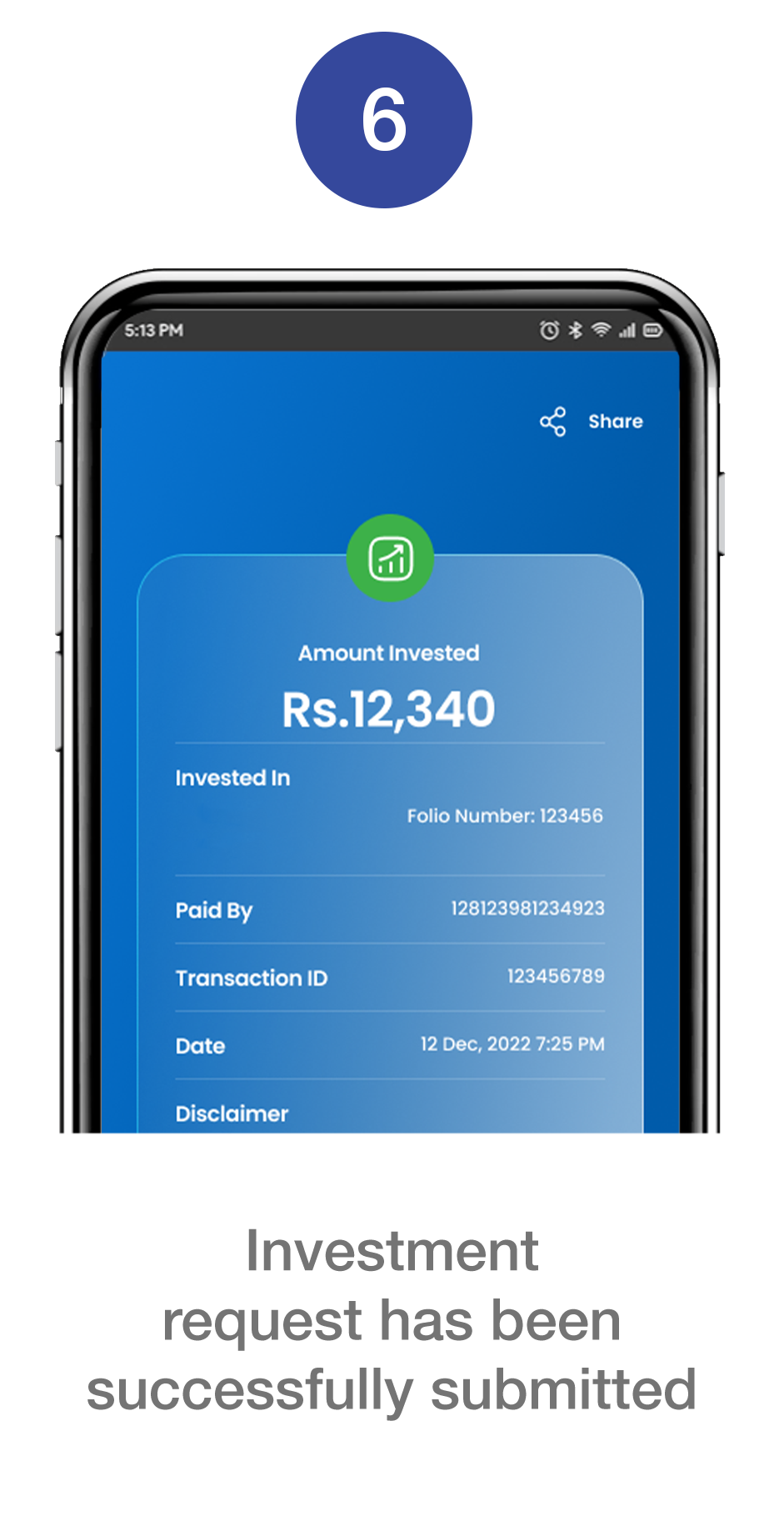
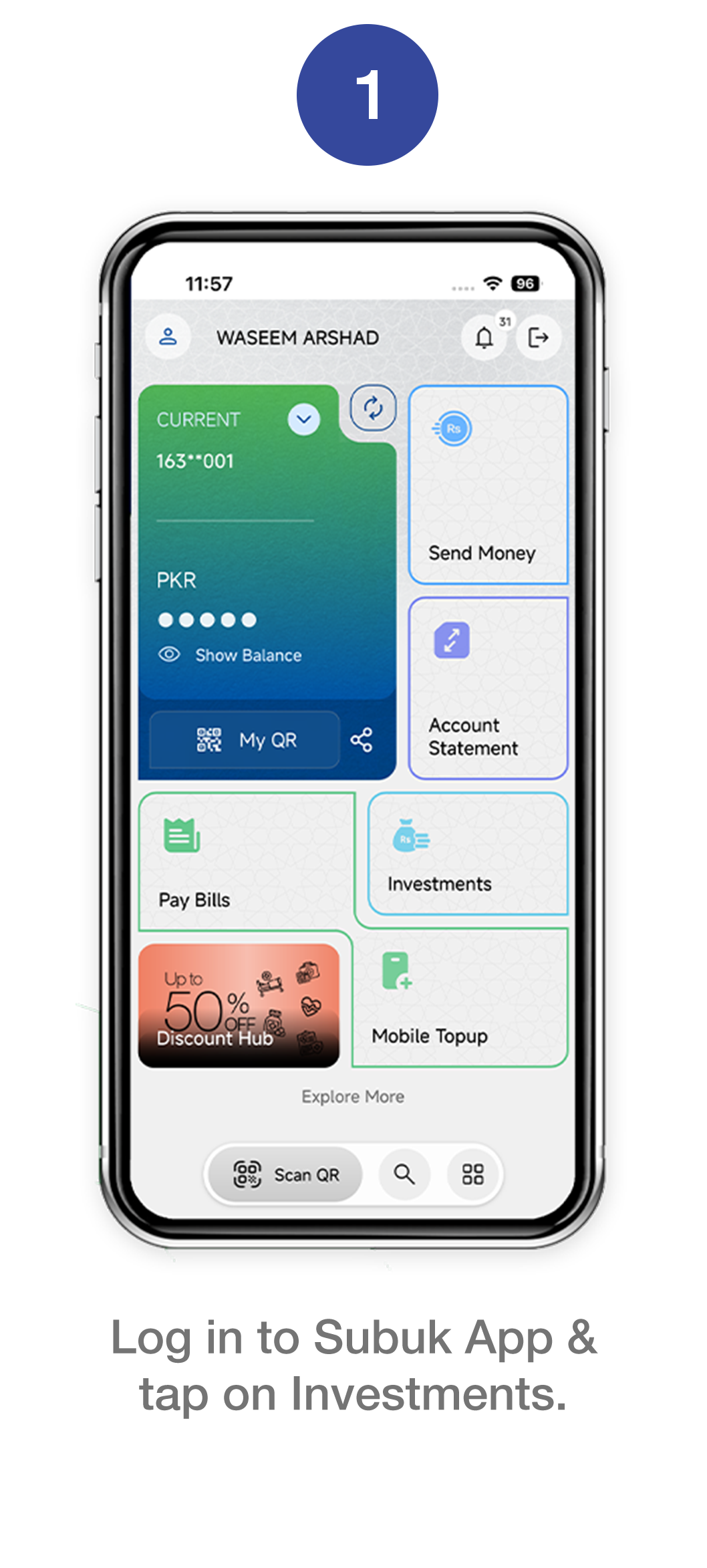
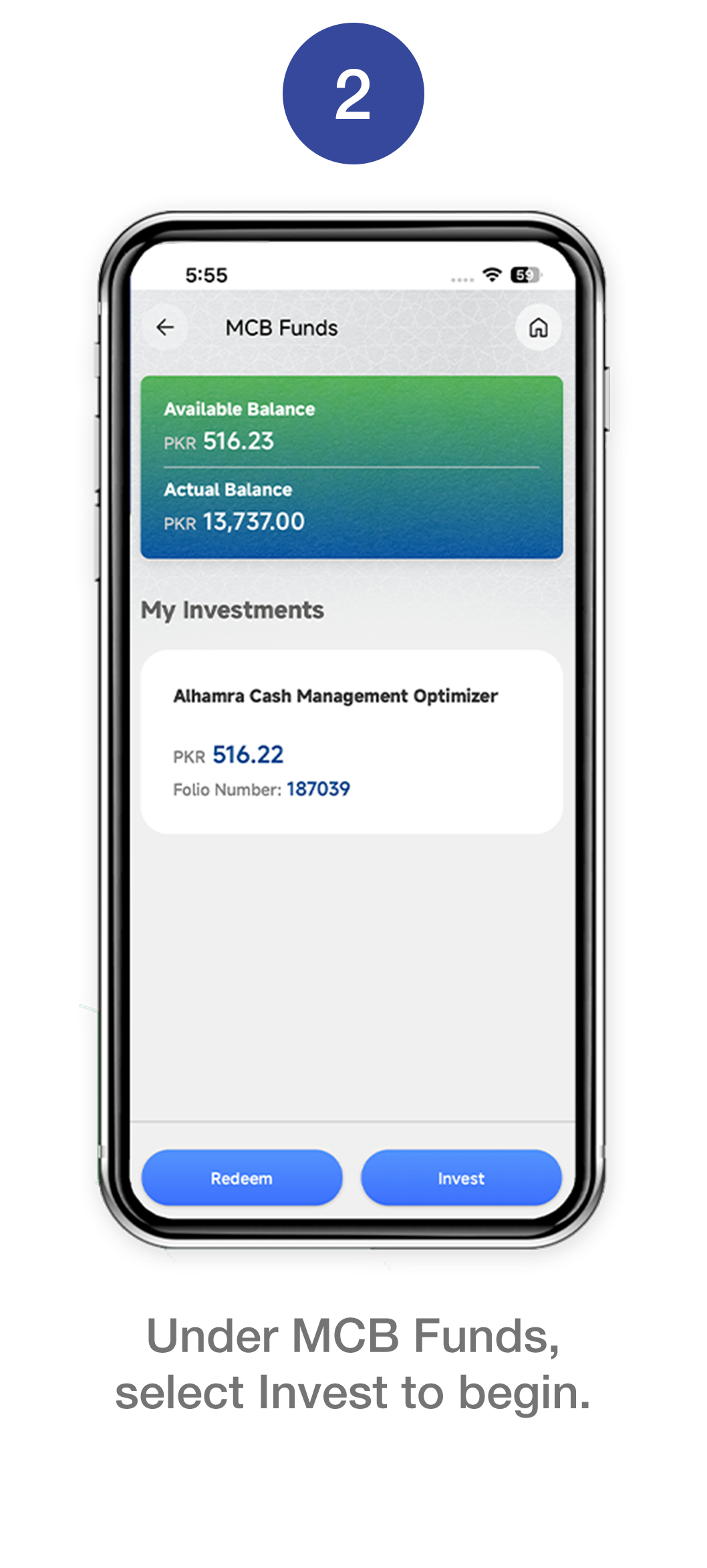
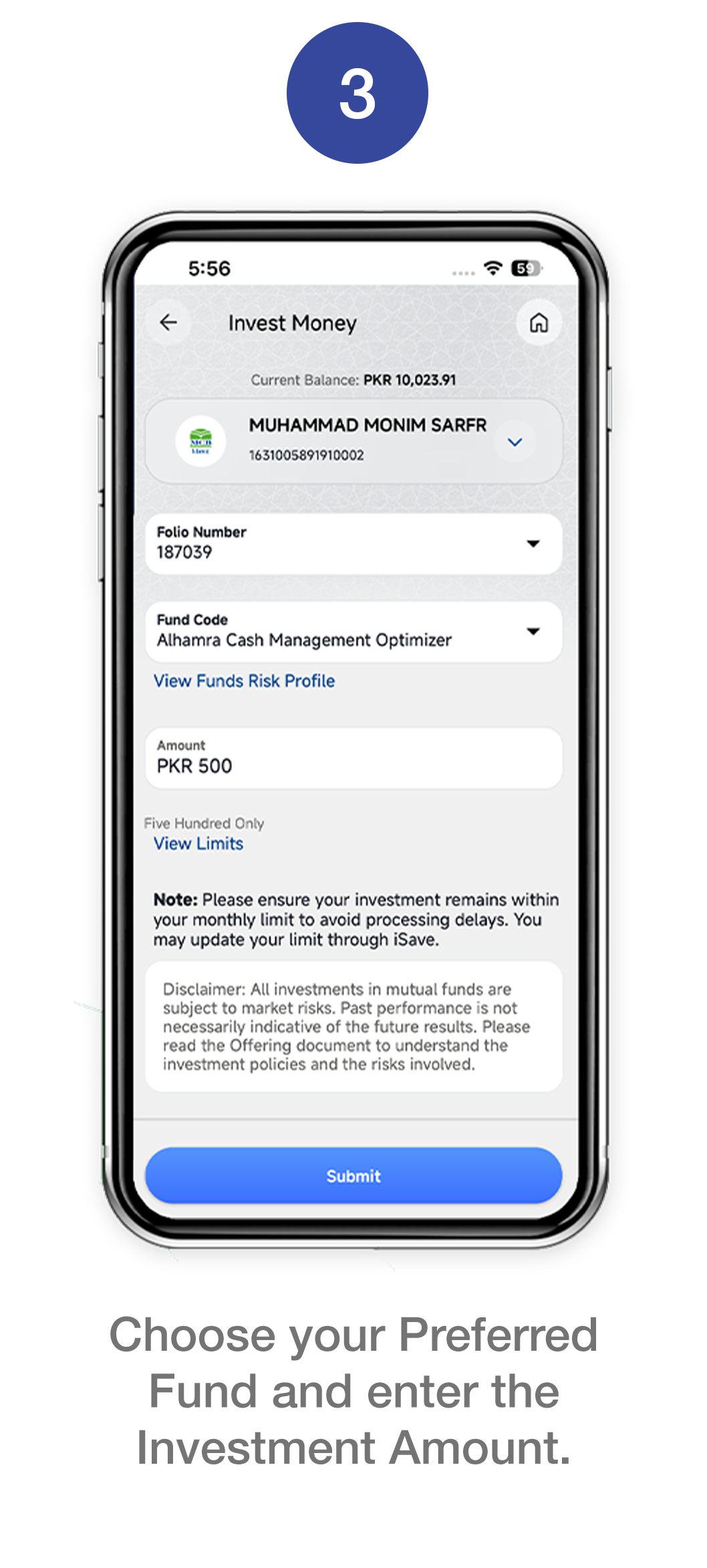
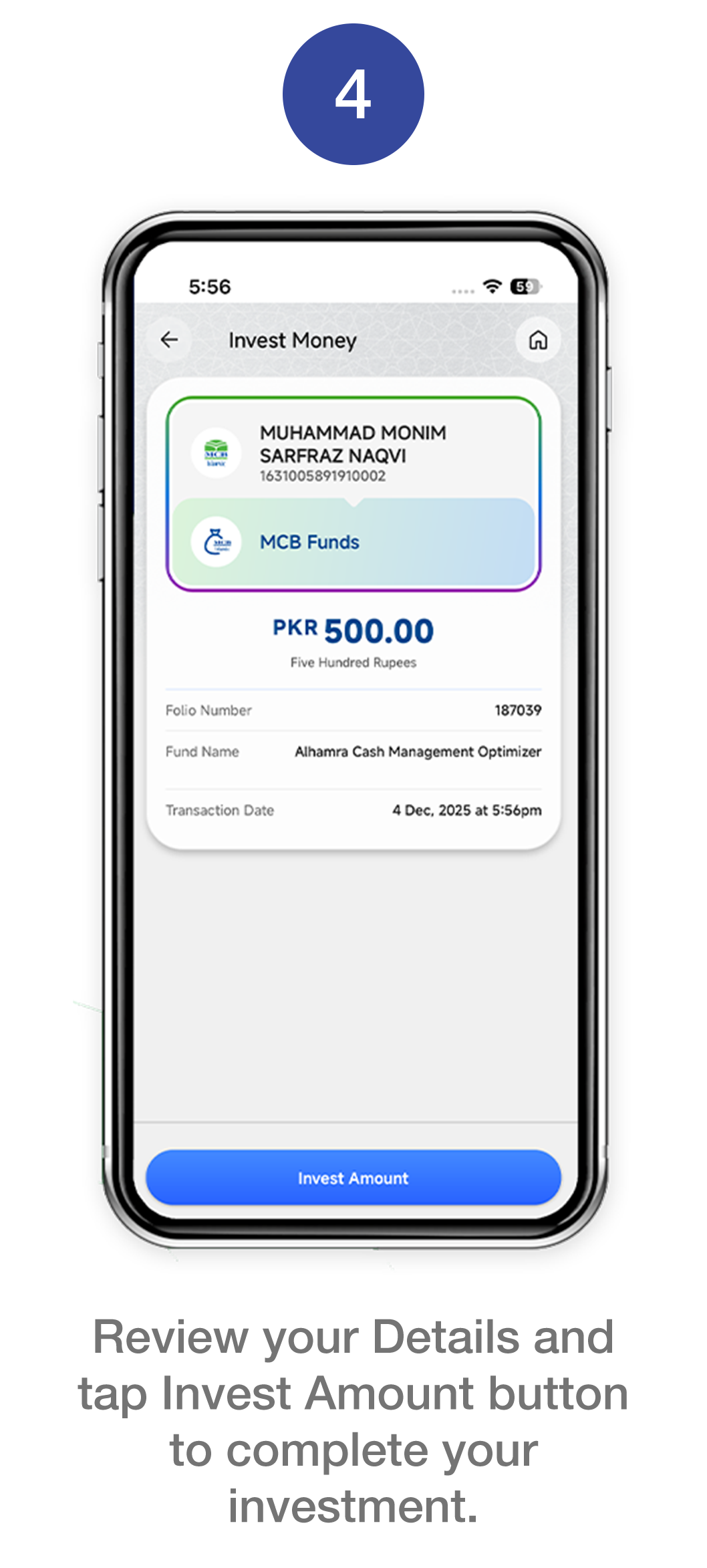
Invest directly via MCB Live. Connect your iSAVE account and start investing in seconds.

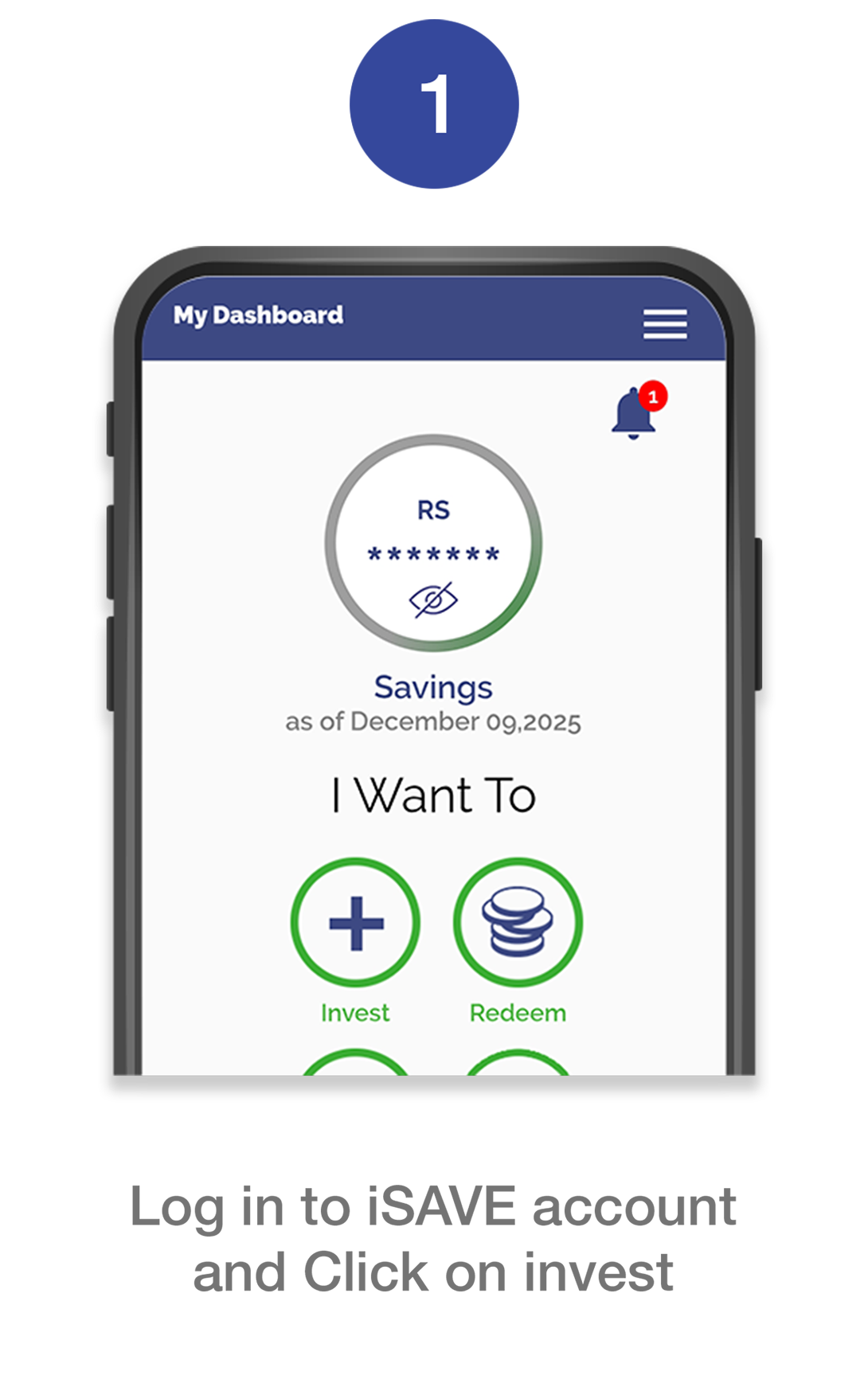
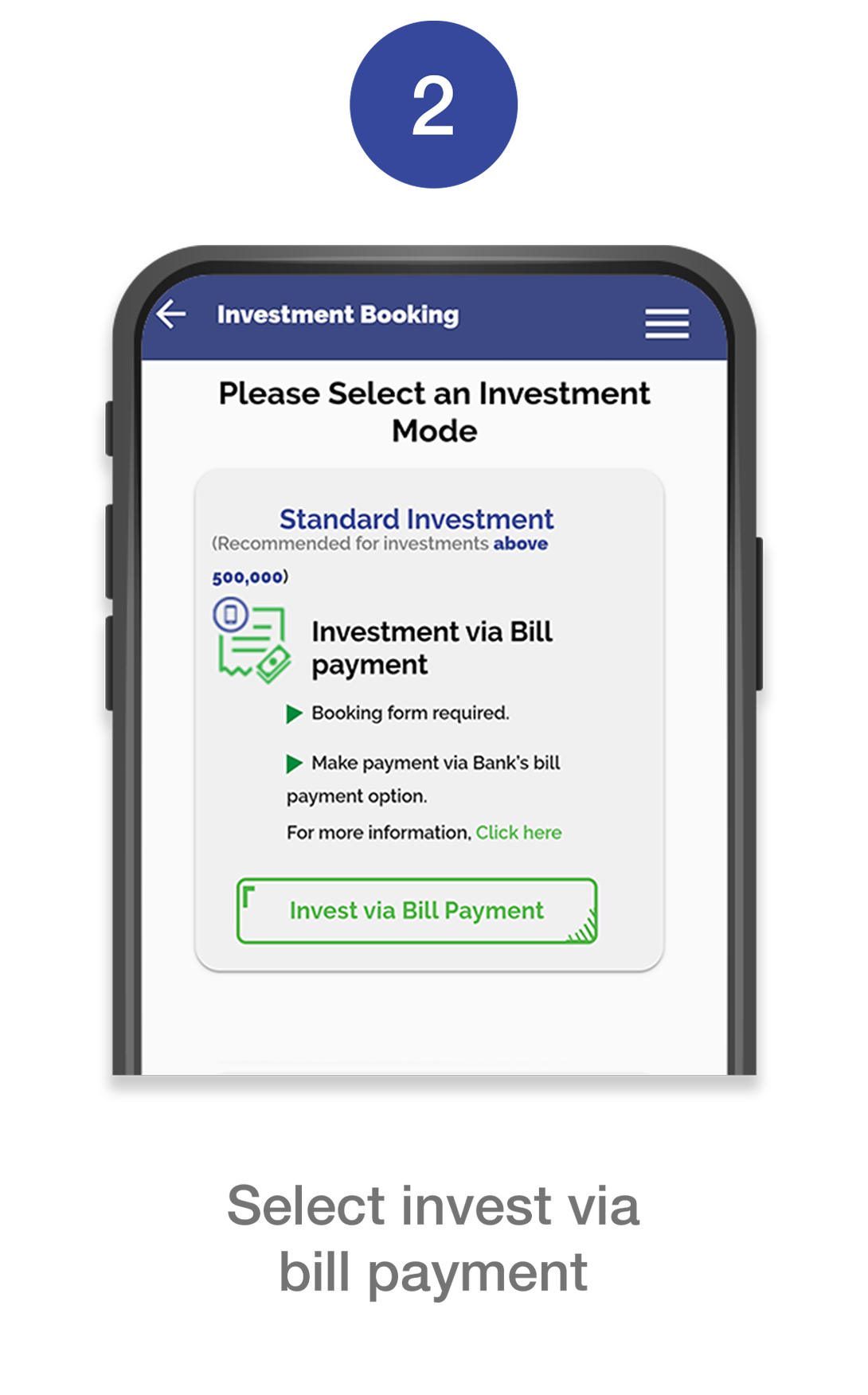
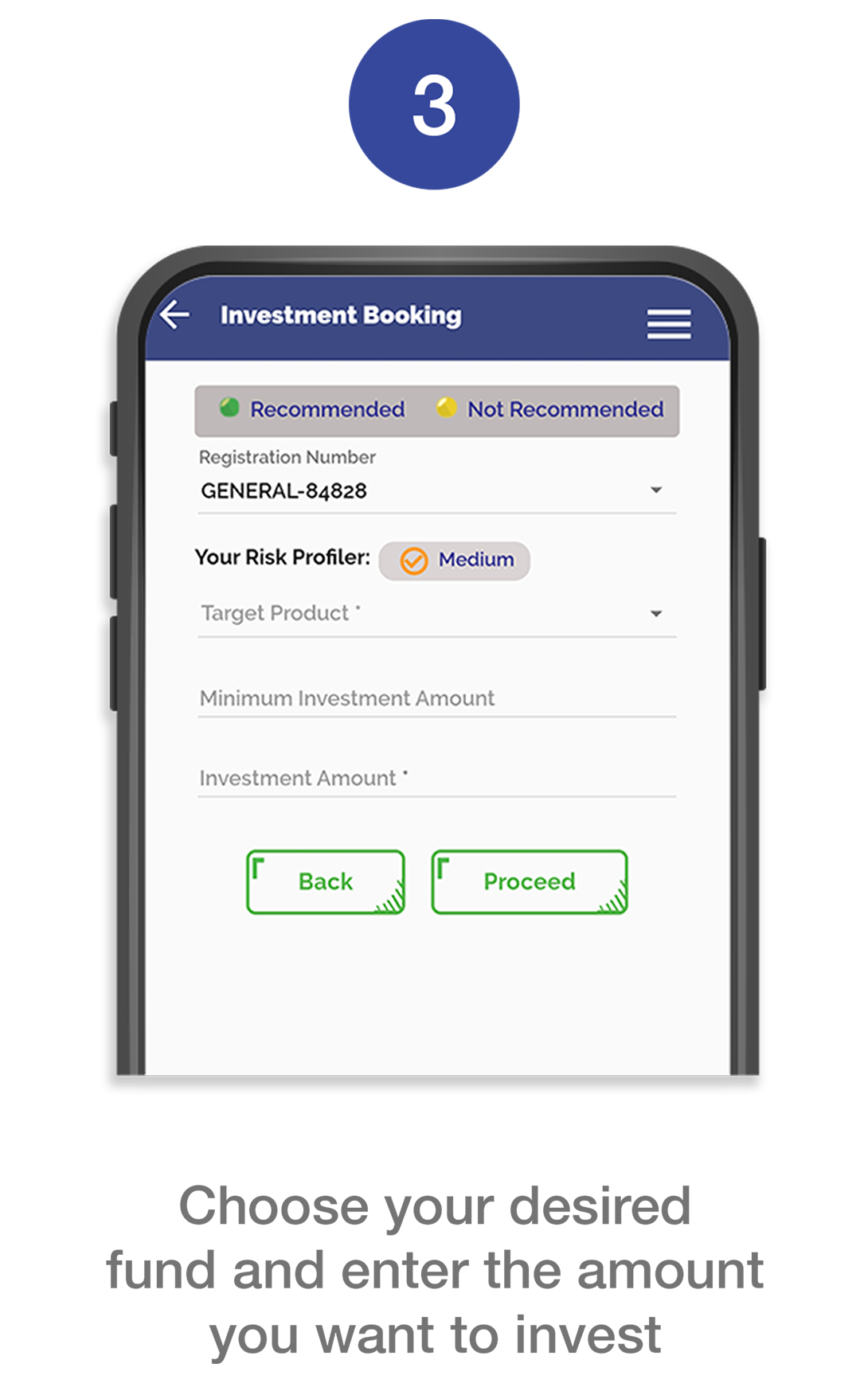
Standard Investment
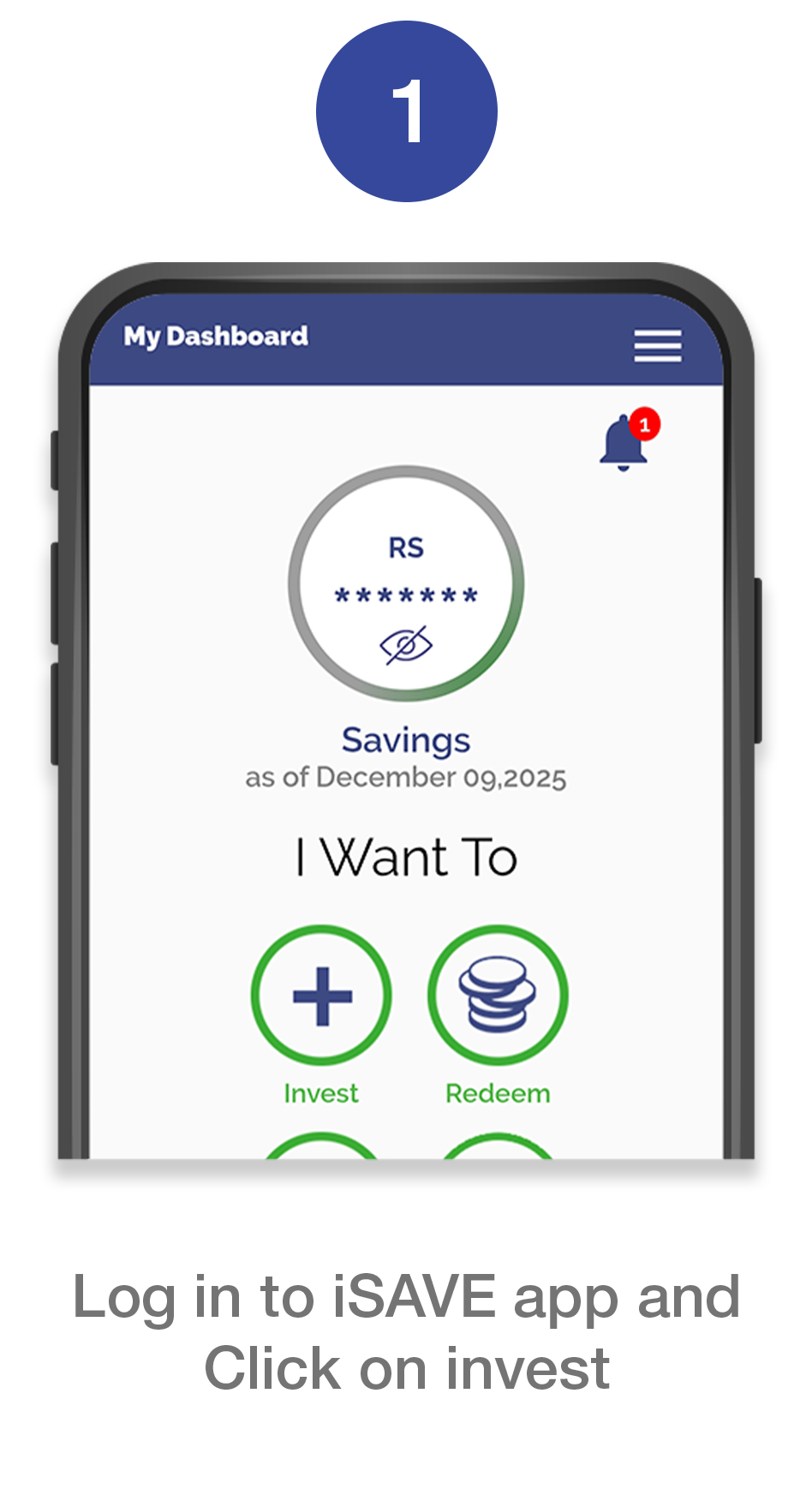
Step 1
Book your investment form
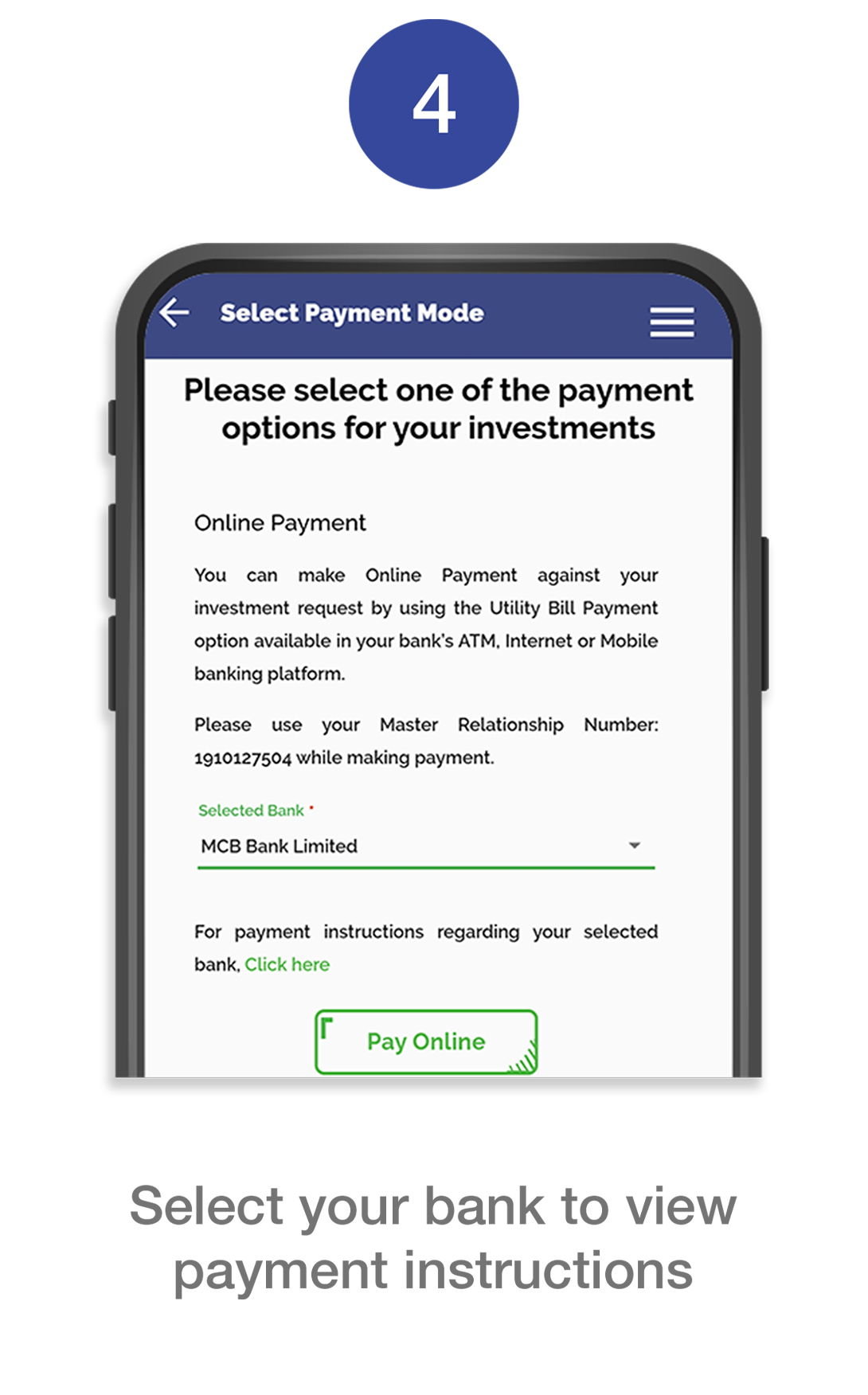
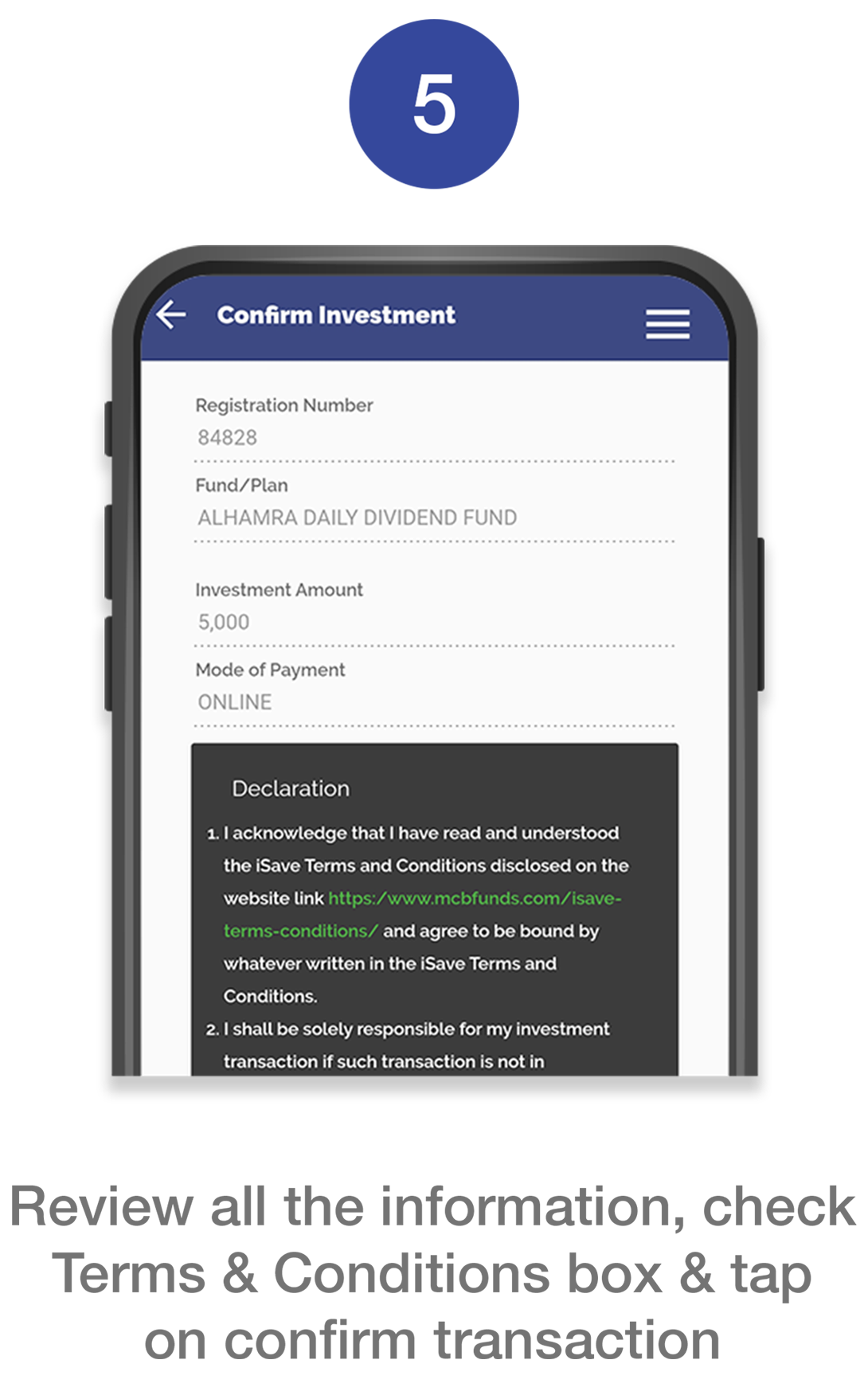
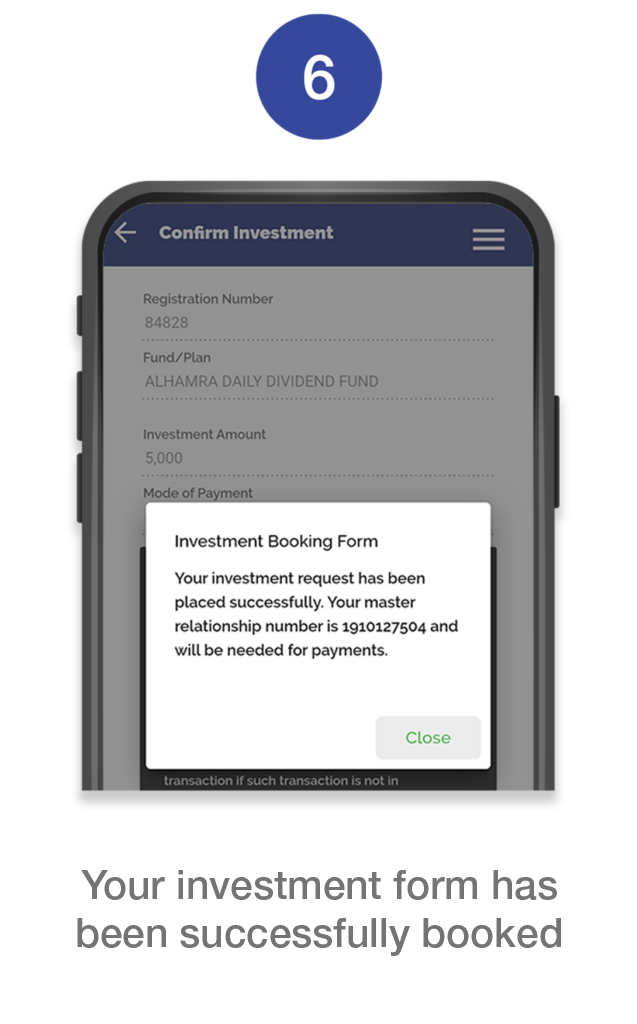
Step 2
Now make payment of your booked form via 
- Log in to your Internet Banking Portal or App
- Select “Bill Payments” or “Payments” from the main menu.
- Choose Category ‘1Bill’ and select ‘Voucher/Invoice Payment.’
- Enter your 1Bill Consumer Number 162224+(MR Number*) as the Voucher Number.
- Confirm the details and complete the transaction.
Click here to see where you can find your MR number.
Instant Investment Via Raast
Step 1
How to Generate Raast Investment ID?
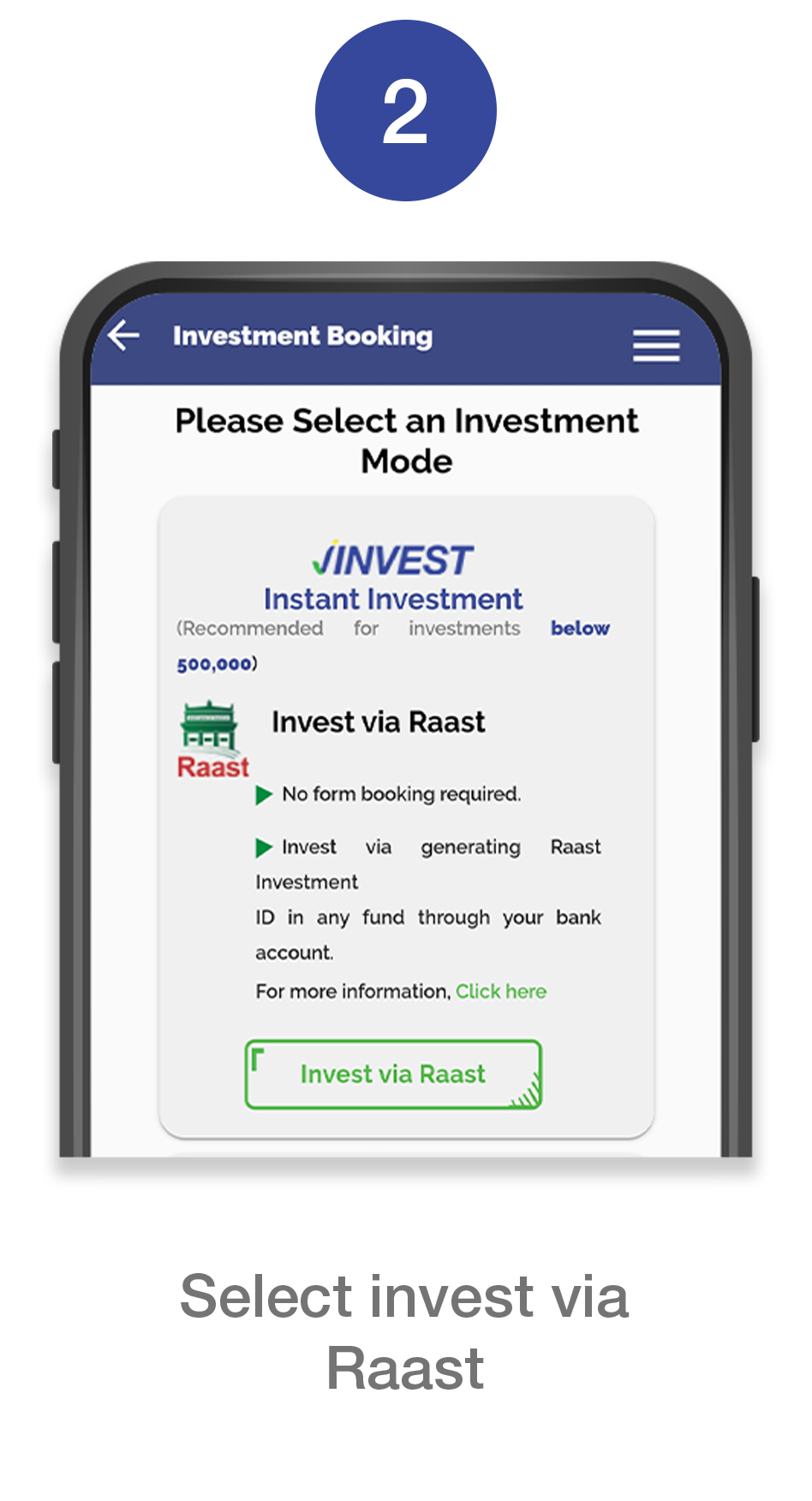
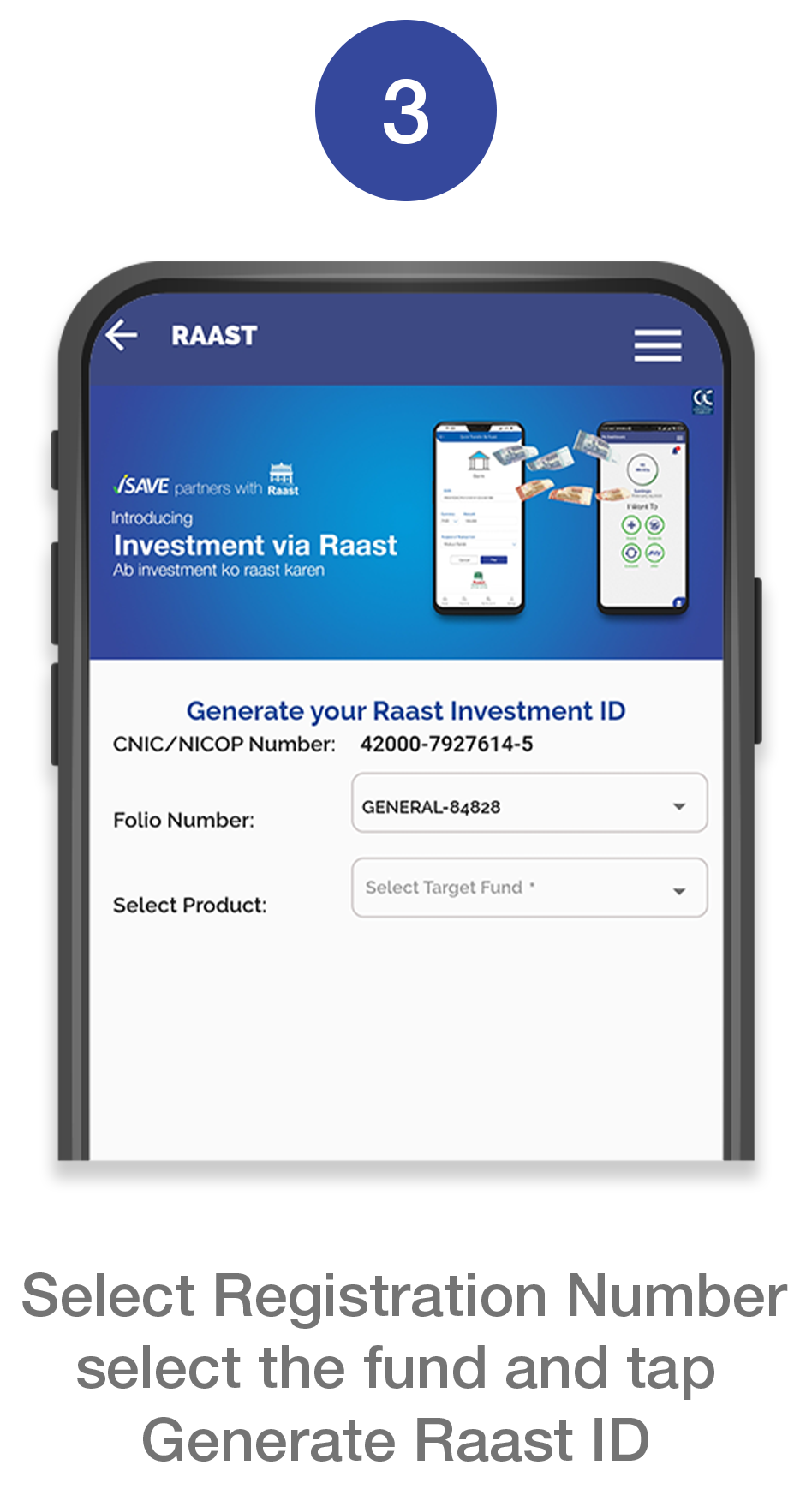
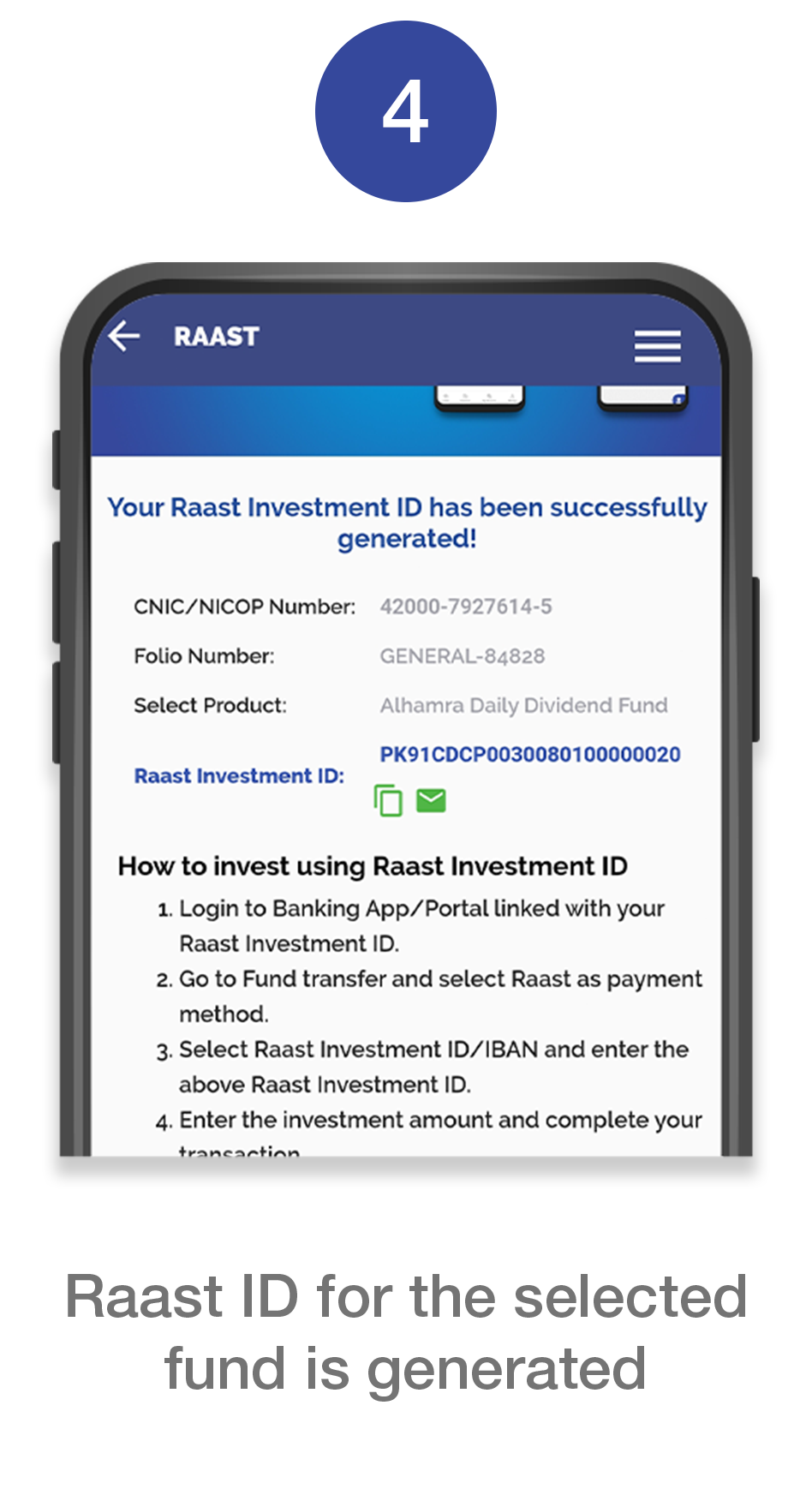
Step 2
How to invest from your bank using the Raast Investment ID?
- Login to Banking App/Portal linked with your Raast ID
- Go to Fund transfer and select Raast as payment method
- Select Raast ID/IBAN and enter the above raast investment ID
- Enter the investment amount and complete your transaction
MCB Live
How to invest via MCB Live?
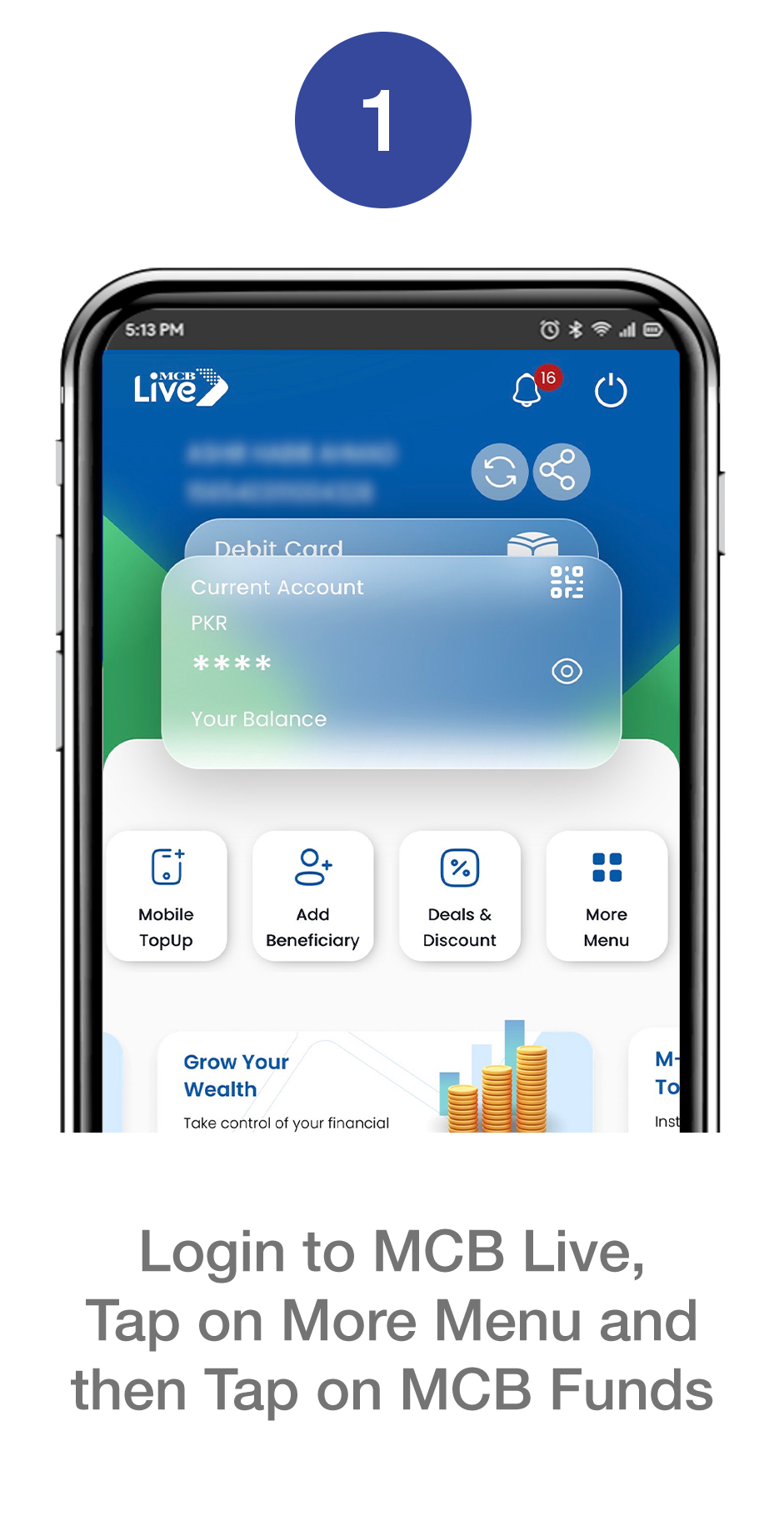
Don’t have
Sign up now for endless possibilities!


Don’t have
Sign up now for endless possibilities!
